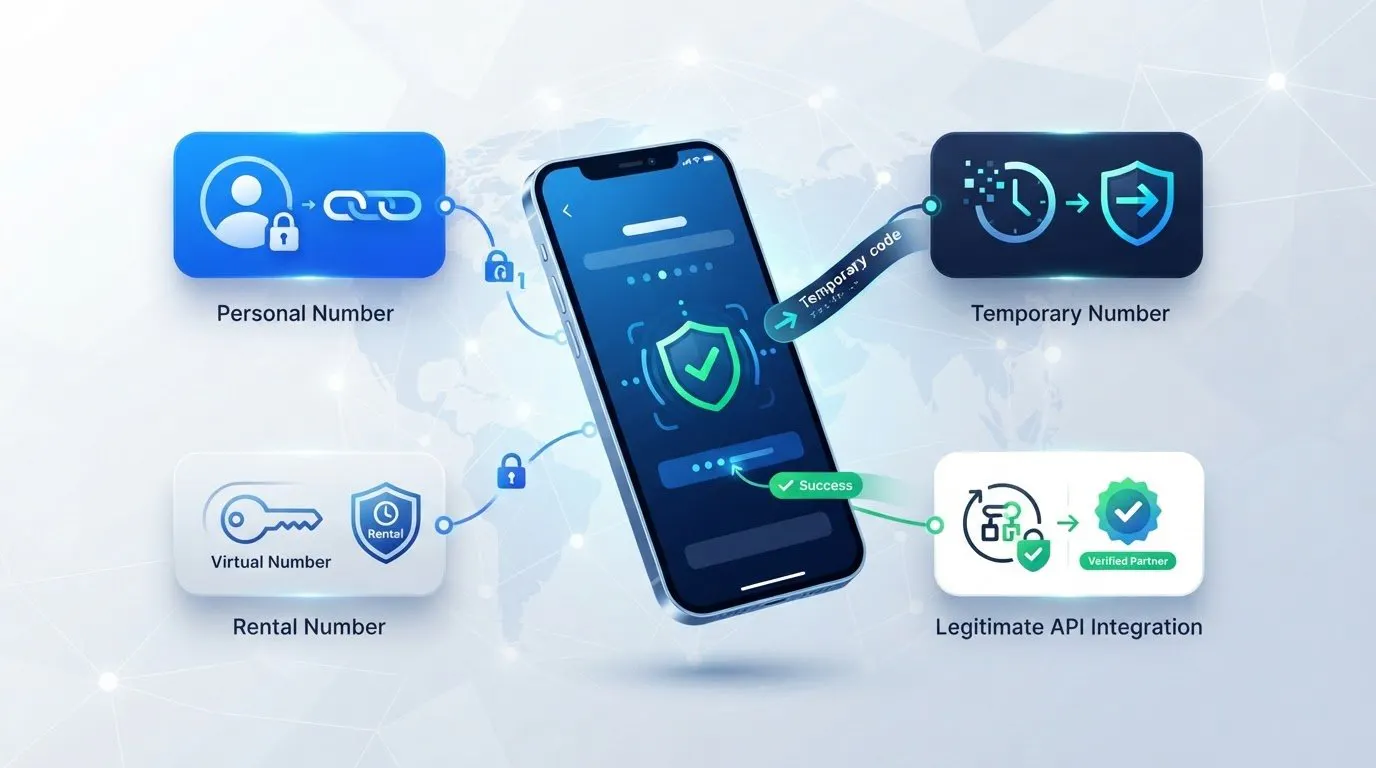
Why are you still manually refreshing for verification codes when your competitors have already automated the entire lifecycle? You've likely realized that building a reliable automation script is harder than it looks. It's frustrating to deal with poorly translated documentation or 'no numbers available' errors that break your workflow at the worst possible time. Learning how to use sms-activate api effectively is about more than just hitting an endpoint. It's about building a resilient system that handles status codes and country switching without human intervention.
We know you need a system that works every time, not just most of the time. This guide will show you how to master the SMS-Activate Standard API to automate verification, manage virtual numbers, and scale your digital operations using Anosim's high-trust infrastructure. We'll walk through the order-receive-complete cycle, specific error handling strategies for 2026, and how to seamlessly integrate Anosim's VoIP services and the mobile proxies of our partner proxied.com into your existing scripts. By the end, you'll have the technical foundation to treat virtual numbers as a reliable utility rather than a bottleneck.
Key Takeaways
- Learn the exact order-receive-complete cycle using the getNumber and getStatus methods to automate your SMS verifications.
- This guide covers how to use sms-activate api to retrieve high-trust virtual numbers from the Anosim dashboard without changing your existing code structure.
- Discover how to query real-time inventory and pricing data to avoid inventory errors and manage your balance efficiently across different countries.
- Understand how to switch to Anosim's infrastructure while maintaining full compatibility with the SMS-Activate Standard API for a seamless transition.
- Maximize account stability by pairing inbound SMS activations with mobile proxies to create a secure and automated digital footprint.
Table of Contents
- What is the SMS-Activate API and Why Use It?
- Setting Up Your Environment and Authentication
- The Core Workflow: Ordering and Receiving SMS
- Advanced Methods and Error Handling
- Scaling Your Integration with Anosim
What is the SMS-Activate API and Why Use It?
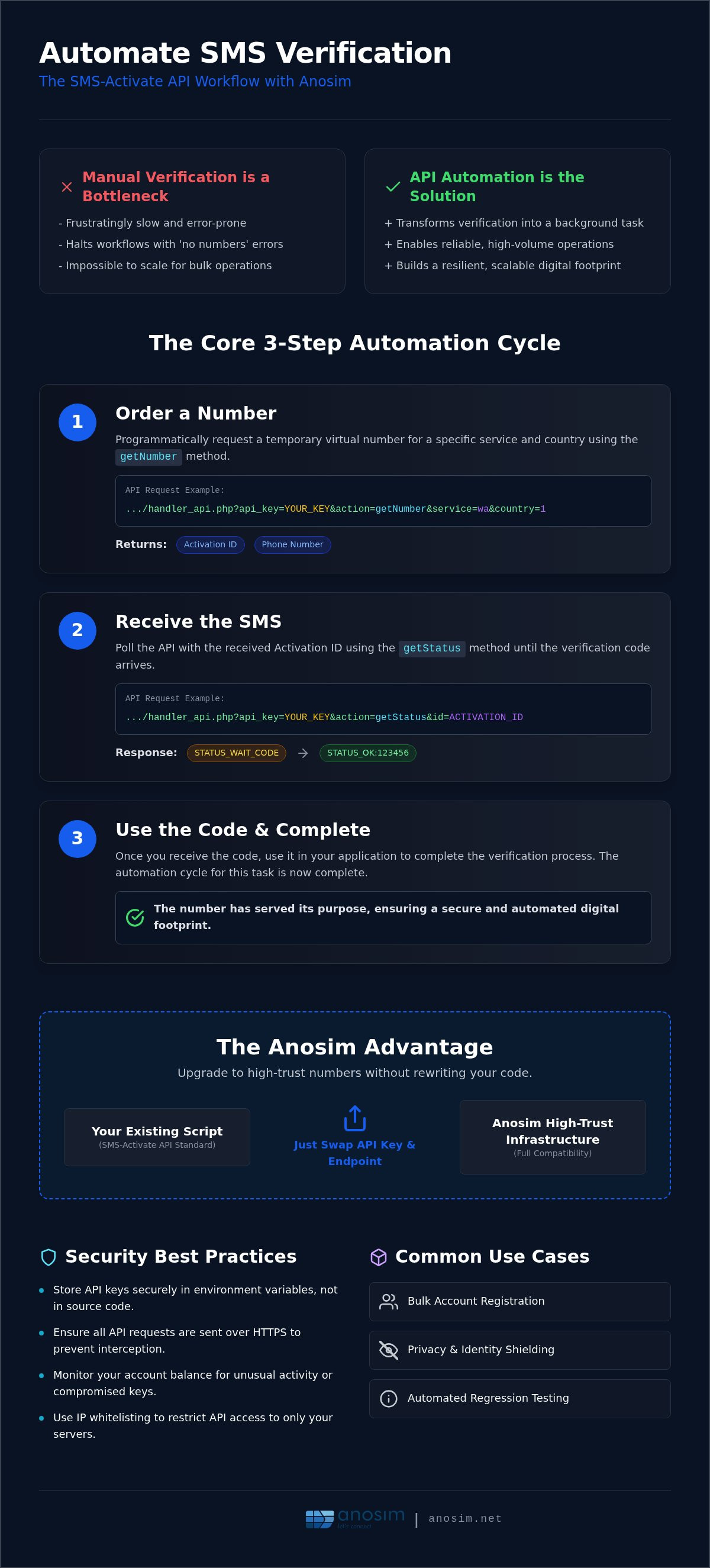
The SMS-Activate Standard API is a RESTful communication protocol that enables software to interact programmatically with virtual phone number providers. It acts as a bridge, allowing your applications to request and manage messages sent via the Short Message Service (SMS) without any manual human input. For anyone managing high-volume digital tasks, learning how to use sms-activate api is the first step toward removing the bottleneck of manual OTP entry. It transforms verification from a chore into a background process that runs silently in the background.
Most professional automation tools and custom-built scripts favor this protocol because it's predictable and widely supported across the industry. One of the biggest advantages is protocol compatibility. If you build your infrastructure around this standard, you aren't locked into a single provider. Anosim supports the SMS-Activate Standard API, meaning you can integrate high-trust numbers into your existing setup by simply swapping your API key and endpoint. This allows you to switch providers to find better reliability or specific country availability without rewriting a single line of your core backend logic.
Common Use Cases for API Automation
Bulk account registration is the primary driver for API adoption. Whether you're managing social media profiles or messaging app accounts, the API handles the verification cycle in seconds. It's also a critical tool for privacy. By using virtual numbers, you shield your personal identity from platforms that often sell user data. Developers frequently use these endpoints for automated regression testing. If your application's signup flow relies on SMS, you can use the API to ensure that users in different geographic regions can successfully receive codes and complete their registration.
Key Technical Requirements
- A valid API key, which you can generate and secure within the Anosim dashboard.
- A development environment capable of sending standard HTTP GET and POST requests using libraries like Axios, cURL, or Requests.
- Basic proficiency in JSON parsing to extract activation IDs and SMS codes from API responses.
Once you meet these requirements, you can move beyond simple requests and start building complex logic that handles multiple services and countries. Understanding how to use sms-activate api effectively allows you to focus on your business logic while the API handles the telecommunications heavy lifting.
Setting Up Your Environment and Authentication
Before you send your first request, you must secure your credentials. Login to your Anosim dashboard to locate your unique API key. This string is your primary authentication token for every request. Treat it like a password; anyone with access to it can deplete your balance. Mastering how to use sms-activate api starts with a stable environment. For maximum security, execute all calls over HTTPS. Encrypting your traffic ensures that your API key isn't intercepted by third parties during transit.
The Base URL and Endpoint Structure
Understanding how to use sms-activate api endpoints requires a clear view of the query string structure. All standard API interactions happen through a specific entry point, typically the handler_api.php file. Your requests will follow a predictable structure where you pass the api_key and the specific action you want to perform. It's vital to differentiate between the activation API for short-term codes and the rental API for longer durations. You can find specific endpoint details in the Anosim API documentation.
Authentication and Security Best Practices
Security is paramount when automating telecommunications. Referencing the NIST Digital Identity Guidelines highlights the importance of robust authentication frameworks. Don't hard-code your keys into your source code. Use environment variables or a secure vault to store them. This prevents accidental exposure if you push your code to public repositories. If your workflow allows it, enable IP whitelisting to restrict API access to your specific server. Monitoring your account balance is also a practical security measure. Sudden drops in credit can alert you to a compromised key or a bug in your automation logic.
The most efficient way to verify your setup is by calling the getBalance method. It's a low-risk request that requires no parameters other than your key and the action name. A successful JSON response containing your current balance confirms that your environment is ready. If you're looking for a reliable platform to host your automation, consider exploring Anosim activation services to start testing your integration.
The Core Workflow: Ordering and Receiving SMS
Mastering the order lifecycle is the most critical phase of learning how to use sms-activate api. Unlike a simple data request, obtaining a virtual number involves a state-driven process that requires precise timing and error handling. You must manage the transition from an initial request to a successful confirmation to ensure your account balance is managed correctly and your automation remains fluid. This workflow is consistent across Anosim and other providers using the standard protocol.
Requesting a Number (getNumber)
The first step is the getNumber action. You'll need two primary parameters: the service code (such as 'tg' for Telegram) and the country ID. A successful request returns a string formatted as ACCESS_NUMBER:ID:NUMBER. The 'ID' is your activation identifier; you'll use it for all subsequent status updates. If the provider returns NO_NUMBERS, your script should include a retry logic with a back-off timer or attempt to switch to a different country ID to maintain uptime. This flexibility is why many developers prefer the Anosim activation service for its high-trust inventory.
Polling for the SMS Code (getStatus)
Once you have an ID, your script enters a polling loop using the getStatus method. This is where many developers fail by polling too aggressively. We recommend a 5 to 10 second interval to stay well within the 300 requests per minute rate limit. While waiting, the API returns STATUS_WAIT_CODE. When the message arrives, it switches to STATUS_OK:CODE. It's best to implement a hard timeout of 15 minutes. If no code arrives by then, you should trigger a cancellation to avoid being charged for a dead number.
Finalizing with setStatus
The final phase involves updating the activation status to close the transaction. This state management is vital for security and cost control. Referencing the OWASP API Security Top 10 reminds us that improper state handling can lead to resource exhaustion or financial leaks. You'll use specific codes to move the order through its lifecycle:
- Status 1: Notifies the system that you've successfully requested the SMS from the service platform (e.g., you clicked "Send Code" in the app).
- Status 6: Confirms the code was received and worked, completing the activation and finalizing the charge.
- Status 8: Cancels the order if no code arrived within your timeout window, ensuring a refund to your account balance.
Correctly implementing these statuses is the difference between a buggy script and a professional-grade automation tool. Understanding how to use sms-activate api at this level allows you to scale your operations without manual oversight.
Advanced Methods and Error Handling
Moving from a basic script to a production-grade system requires more than just calling endpoints. You need to account for fluctuating inventory and potential network failures. For developers learning how to use sms-activate api at scale, the first step is implementing pre-order checks. The getNumbersStatus action allows you to query real-time inventory before you attempt an order. This prevents your script from hanging on a NO_NUMBERS response and allows you to fail over to a different country or service immediately. Similarly, using getPrices ensures your logic accounts for current rates, preventing unexpected NO_BALANCE errors during high-volume runs.
Production environments also benefit from handling multi-service orders. If your workflow requires verifying multiple platforms for a single account, treat each activation as an independent object in your database. This allows you to track the unique ID and status of each request separately. Developing a robust retry logic is non-negotiable. Don't just restart the script on failure. Instead, implement exponential back-off timers that respect the API rate limits of 300 requests per minute to keep your account in good standing.
Common Error Codes and Solutions
Your code must be prepared to parse and react to specific error strings. A BAD_KEY response typically indicates an authentication failure. You should verify your credentials programmatically at the start of every session to avoid running dead code. NO_BALANCE is a frequent bottleneck in automation. We recommend setting up a threshold check that triggers an alert when your funds drop below a specific amount. If you receive a BANNED response, it's a sign that your request frequency is too high. Adjust your polling intervals and ensure you aren't leaking API keys to public repositories.
Filtering by Operator and Country
Success rates often depend on the specific mobile operator providing the number. Some high-security apps are more likely to trust Tier-1 carriers over smaller providers. By passing an operator code in your getNumber request, you can target these high-trust ranges specifically. Use the getCountries method to dynamically update your script logic with the latest supported regions. This allows your system to adapt as new inventory becomes available without manual updates. Selecting the right country isn't just about price; it's about the trust score the target platform assigns to that region's telecommunications infrastructure.
For developers building high-volume systems, following the Anosim API documentation ensures your integration remains robust and secure against common production errors. Using a reliable partner allows you to focus on scaling your logic while the infrastructure remains stable.
Scaling Your Integration with Anosim
Scaling your digital operations requires a shift from manual oversight to a fully automated infrastructure. Anosim serves as a silent partner in this transition by offering full compatibility with the SMS-Activate Standard API. This compatibility is a significant advantage for developers who have already invested time in building custom scripts. You can switch your backend to Anosim's high-trust inventory without changing your core integration logic. Understanding how to use sms-activate api with a provider that prioritizes technical robustness allows you to maintain high success rates even as your request volume grows.
Beyond simple activations, scaling often involves moving toward long-term stability. While short-term activations are ideal for one-time verifications, many enterprise-level tasks require a persistent digital presence. Anosim allows you to transition your workflow from instant activations to long-term Rent Number services via the same API framework. This flexibility ensures that you can adapt to the requirements of different platforms, whether they demand a quick OTP or a number that remains active for weeks. If your project has unique requirements, our technical support team is available to facilitate custom enterprise integrations that go beyond standard documentation.
Integrating Mobile Proxies into Your Workflow
Account stability is rarely about the phone number alone. Most modern platforms analyze the relationship between your virtual number and your IP address. If you're using a number from one country but an IP from another, your trust score will drop. This is where our partner proxied.com comes in, because Anosim itself does not sell proxies. By pairing your Anosim SMS activations with the mobile proxies, you can match your IP location to your virtual number's region. This synchronicity significantly reduces the risk of account bans or shadowbans during bulk registrations. Proxy rotation stays on the proxied.com side, whose own API lets you rotate IPs programmatically, so that each account creation happens from a fresh, legitimate-looking mobile connection. Explore our Mobile Proxy Guide for better networking strategies that complement your SMS automation.
Next Steps for Developers
Once you've mastered the basics of how to use sms-activate api, the next step is optimizing your cost and performance. Review the full Anosim API Documentation to explore advanced parameters and specialized endpoints. For developers and agencies managing thousands of monthly activations, joining our Partners Program provides access to high-volume discounts and priority support. This program is designed to reward the stability and growth of your automation projects. Ready to scale? Get started with Anosim activations today and build a resilient verification system that grows with your business.
Optimizing Your Automated Verification Workflow
Building a robust automation system requires more than just calling endpoints. It's about mastering the state-driven logic of the order lifecycle and choosing a provider that prioritizes technical stability. By mastering how to use sms-activate api, you eliminate the manual friction that slows down digital growth. You've learned how to secure your environment, manage the polling cycle effectively, and handle production-grade errors to keep your scripts running smoothly without human intervention.
Reliability in 2026 depends on high-trust mobile infrastructure. Pairing your inbound SMS activations with mobile proxies creates a secure digital footprint that platforms trust. Anosim serves as your silent partner, offering 24/7 developer support and a system that is fully compatible with the SMS-Activate Standard API. This allows you to scale your operations immediately without rewriting a single line of your existing code. If you're ready to take the next step, scale your verification workflow with Anosim's SMS-Activate compatible API. Your path to efficient, automated account management is now clear. Start building your resilient infrastructure today.
Frequently Asked Questions
What is the difference between the Anosim v1 API and the SMS-Activate Standard API?
Anosim v1 is our proprietary protocol designed for specialized features, while the SMS-Activate Standard API is a universal communication protocol. Anosim supports the standard version so developers can migrate existing automation scripts without changing their code structure. This compatibility allows you to benefit from our high-trust mobile infrastructure while maintaining the logic you've already built. Both versions are accessible via your dashboard and use the same unified account balance for all operations.
How do I handle the 'NO_NUMBERS' error in my script?
When your script receives a NO_NUMBERS response, it means the specific service and country combination is currently out of stock. You should programmatically switch to a different country ID or wait for a short period before retrying. Implementing a fallback list of multiple countries ensures your automation stays online. Using the getNumbersStatus method before ordering helps you identify available inventory in real-time, preventing your script from hitting dead ends during high-volume runs.
Can I use the same API key for SMS activations, number rentals and mobile VoIP?
Your single Anosim API key grants access to all Anosim services, including SMS activations, number rentals, and mobile VoIP. Mobile proxies are not part of it — they come from our partner proxied.com and use a separate key. This centralized authentication simplifies your development workflow and allows you to manage security more effectively. You request verification codes through Anosim and rotate proxy IPs through the proxied.com API alongside it. Managing your entire digital footprint through one interface ensures that your balance is shared across all tools, preventing service interruptions during complex account creation tasks.
How long does a virtual number stay active for an SMS request?
For standard activations, the virtual number typically remains active for a window of 15 to 20 minutes. This provides ample time for the target platform to send the verification code. If no message arrives within this timeframe, the order is cancelled automatically, and no funds are deducted. If your project requires a number to stay active for longer periods, we recommend using our rental service, which supports durations ranging from several hours to weeks.
Is it possible to receive a second SMS on the same number via API?
Receiving a second SMS is possible if the activation session is still open. You must send Status 3 to the API to inform the system that you are waiting for an additional message. This is useful for platforms that require a two-step verification or a follow-up code. However, once you send Status 6 to complete the order or the 20-minute window closes, you won't be able to access that specific number again for any service.
What are the most common status codes I need to implement?
Successful automation requires handling four primary status codes. Status 1 tells the system you've triggered the SMS from the app. Status 3 is used for requesting a second code. Status 6 confirms a successful verification and completes the charge. Status 8 cancels the order if no code arrives, triggering an immediate refund. Mastering these codes is the most important part of learning how to use sms-activate api for professional-grade software development and reliable automation.
Do I get a refund if the SMS never arrives?
You only pay for successful activations. If the SMS never arrives and you cancel the request using Status 8, or if the session times out naturally, your account balance is not charged. This ensures that your automation budget is only spent on valid, working verifications. We recommend implementing a timeout logic in your script that sends a cancellation request after 10 minutes of waiting to keep your active order queue clean and efficient.
How often should I poll the 'getStatus' endpoint?
The optimal polling interval for the getStatus endpoint is between 5 and 10 seconds. Polling too aggressively can lead to rate limiting, while polling too slowly delays your registration flow. Understanding how to use sms-activate api constraints is vital for high-volume operations. Staying within the 300 requests per minute limit ensures your API key remains active and your scripts run smoothly without being flagged for suspicious activity by the server's security filters.