What if the number you use to protect your privacy is also the reason a gig app rejects your signup? A virtual number for gig app registration can keep your personal contact details separate, but acceptance depends on the platform’s verification rules and the type of number used. Some services may reject certain virtual or VoIP numbers, so receiving a code does not necessarily mean the number will work for every account.
It makes sense to avoid sharing your personal number more widely than necessary. It is just as important to keep legitimate access to your gig account, especially if the platform asks you to verify again later. The right option depends on the app’s rules and how long you may need access to the number.
This guide explains how virtual numbers and inbound SMS verification work, what can affect code delivery and acceptance, and how one-time SMS activation differs from a longer-term number rental. You’ll learn how to weigh privacy against future account access and choose an option that fits your expected account lifespan, without assuming any number is guaranteed to be accepted.
Key Takeaways
- A virtual number for gig app registration can separate your personal contact details from signup, but platform rules determine whether it can be used for verification.
- SMS verification depends on the platform sending a code to the number. Receiving a code alone does not confirm that the account will remain accessible.
- Choose one-time SMS activation for a permitted, single verification task, or consider a rental if you may need continued access for re-verification.
- Review the app’s number, identity, and account-recovery requirements before signup, and use accurate details that comply with its account rules.
- Anosim provides inbound SMS activation and virtual-number rentals for different verification durations.
Table of Contents
- What a virtual number for gig app registration does, and does not do
- How virtual-number verification works for gig-app registration
- One-time SMS activation or rented number: which fits your account?
- A privacy-conscious checklist before registering with a gig app
- How Anosim SMS activation and number rental fit the use case
What a virtual number for gig app registration does, and does not do
A virtual number can receive SMS without requiring you to give a gig platform your personal mobile number directly. Its practical role in registration is to receive a verification message sent to the number you submit. Phone services vary in what they support. Anosim provides inbound SMS for verification and virtual-number rental. A general overview of how a virtual number works can help explain the broader technology, but the signup question is more specific: can the platform send a code to this number, and do its rules allow you to use it?
Using a separate number can limit where your primary contact detail is shared. It does not guarantee anonymity or approval. Platforms set their own phone-number and verification requirements, which can vary by app, account type, and region. A number’s ability to receive a message does not prove that a platform will accept it for registration or ongoing account use.
How SMS verification connects a number to an account
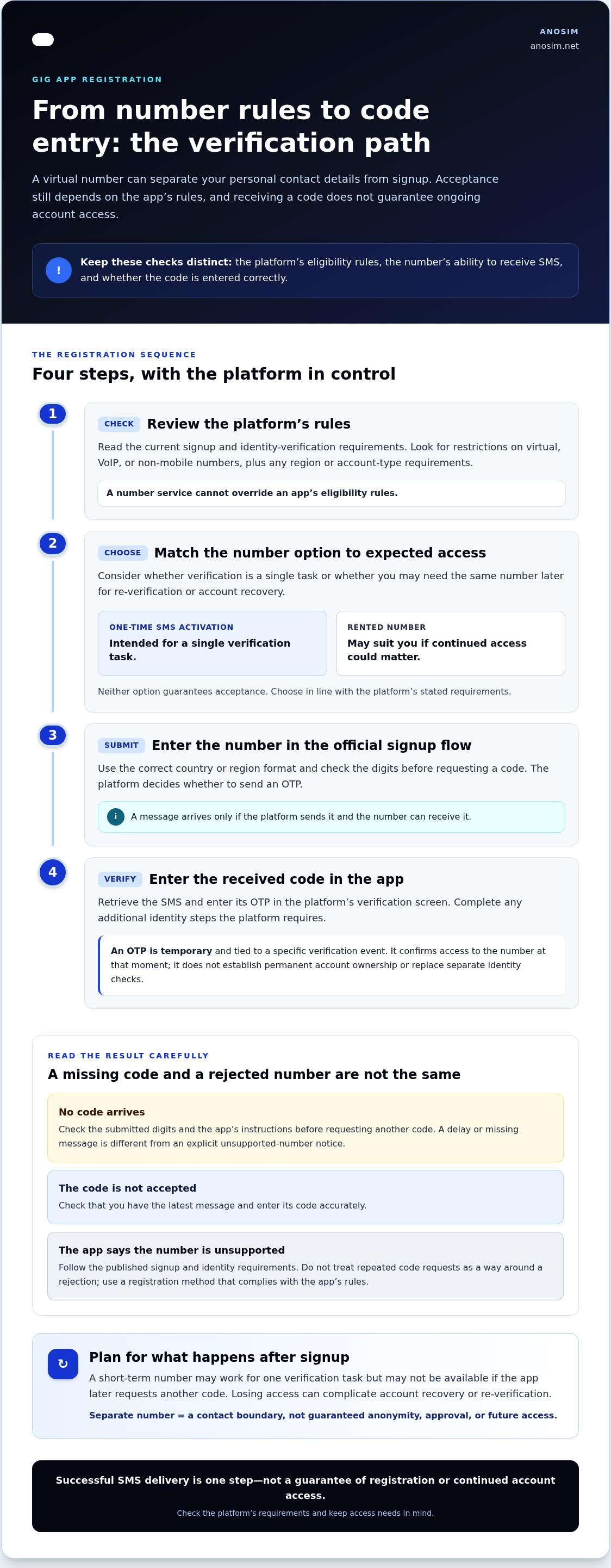
During signup, the platform may ask for a number and send a one-time password (OTP) to it. You retrieve the message and enter the code in the registration flow. This confirms access to the number at that moment as one verification step. It does not establish permanent account ownership or replace any separate identity checks the platform may require.
An OTP is a temporary code for a specific verification event; a password is a credential intended for repeated sign-ins. Treat an OTP as sensitive. Enter it only in the platform’s official signup or verification screen, never in response to an unexpected request from someone claiming to represent the app.
Privacy benefits and realistic limits
A separate number can reduce how often you share your primary contact detail. For example, if a gig app uses the number you submit for account messages, you can keep it distinct from the number you share with personal contacts. This creates a boundary, not an invisibility layer. Account details, work activity, and identity checks may still associate the registration with you.
Consider what happens after signup, too. A short-term number may work for a single verification task, but it may not be available if the app later requests another code. Losing access can complicate account recovery or re-verification. Before registering, read the platform’s current rules and consider whether you’ll need continued access to the same number. The temporary phone number privacy guide offers related context on weighing privacy and access when using short-term numbers.
Choose based on the platform’s stated requirements and your expected need for future verification. A virtual number for gig app registration can help separate contact details, but it cannot override platform rules, satisfy identity requirements by itself, or guarantee a successful signup.
How virtual-number verification works for gig-app registration
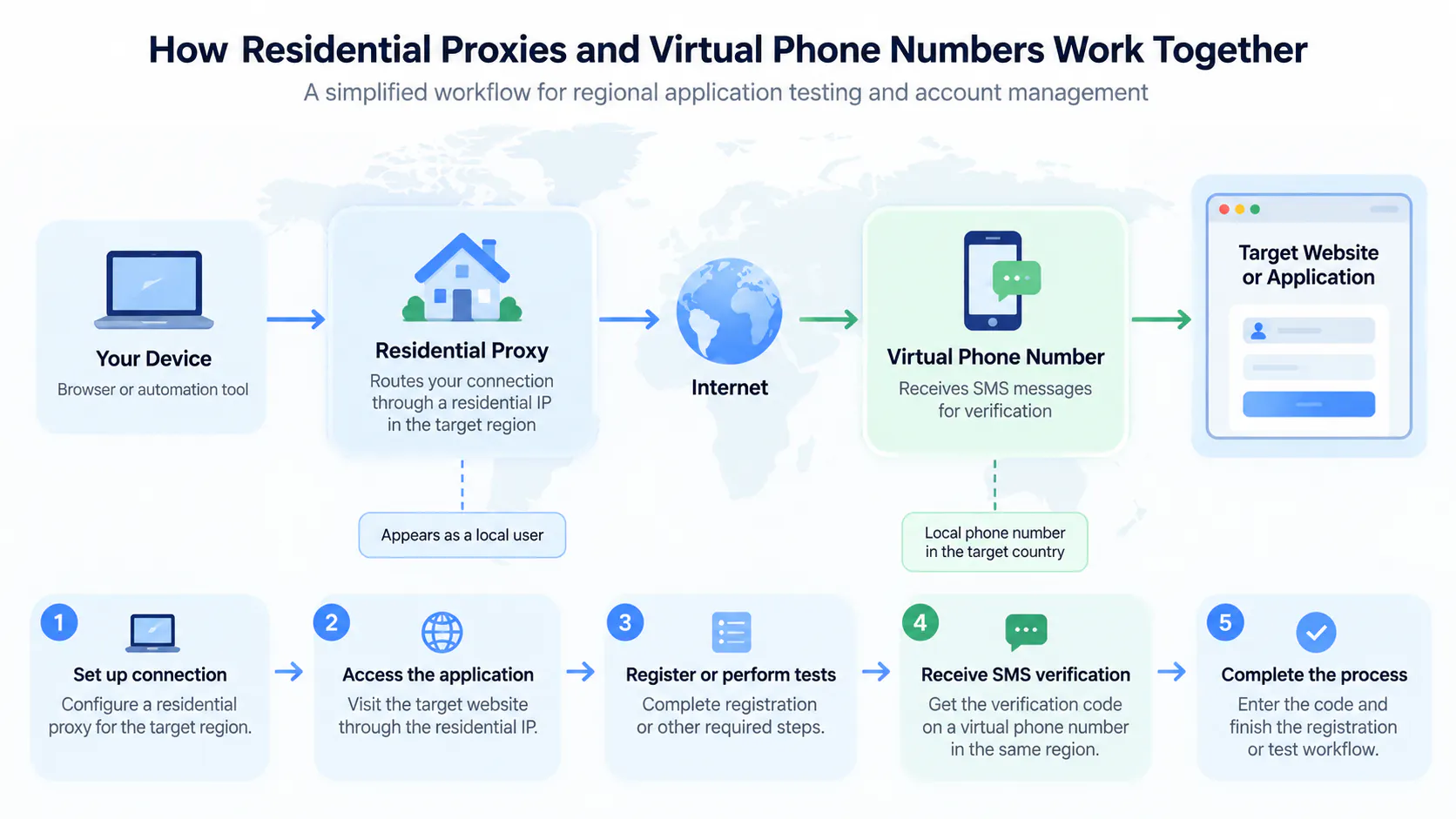
Registration usually follows a simple sequence, but the platform controls whether the submitted number is eligible and whether it sends a code. Before choosing a virtual number for gig app registration, distinguish three steps: the platform’s rules, the number’s ability to receive inbound SMS, and entering the code. A problem at one stage does not automatically mean the others have failed.
- Review the platform’s rules. Read its current signup and identity-verification requirements. Look for restrictions on virtual, VoIP, or non-mobile numbers, along with any region or account-type requirements.
- Select a number option. Choose an option that fits the verification you expect. A one-time activation is intended for a single code, while a rented number may suit you better if continued access could matter. Neither option overrides the platform’s eligibility rules.
- Submit the number. Enter it in the app’s official registration flow using the correct country or region format. Check the digits before requesting a code.
- Enter the received code. If the platform sends an OTP by SMS and the number can receive it, retrieve the message and enter the code in the app’s verification screen. Complete any additional identity steps the platform requires.
What happens between submitting the number and receiving a code?
After you submit a number, the platform decides whether to send an OTP. A message arrives only if the platform sends it and the number can receive it. A number service cannot make an app issue a code. If no code arrives, first check the submitted digits and the app’s instructions before requesting another. A delay or missing message is different from an explicit notice that the number is unsupported. An incorrect-code message means a code was entered but not accepted, so check that you have the latest message and enter its code accurately.
Why a gig platform may reject a virtual number
Acceptance rules vary by platform, account type, region, and verification stage. Some services distinguish mobile numbers from VoIP or other number categories. A number accepted during signup may still be subject to additional checks later. Do not treat repeated code requests as a way around a rejection. Follow the app’s published signup and identity requirements, and use accurate account information. If its rules exclude a number type, choose a registration method that complies with them.
Keep the distinction clear: successful SMS delivery confirms that a message reached a number, not that the platform approved the account or verified your identity. Anosim provides inbound SMS activation for OTP verification. If the option fits the platform’s published requirements, review Anosim SMS activation as part of your registration planning.
One-time SMS activation or rented number: which fits your account?
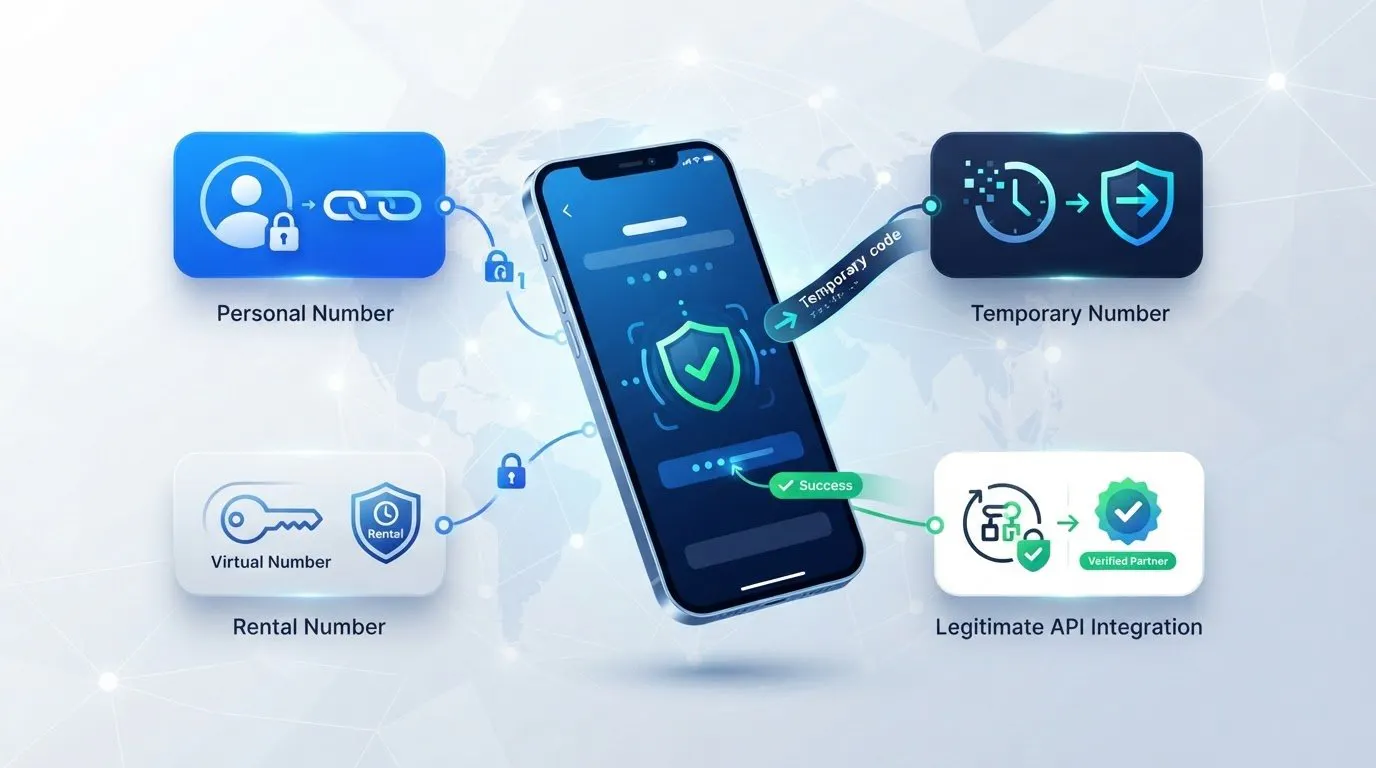
The main difference is how long you need access to the number. One-time SMS activation is intended for a single verification task, while a rental is relevant if you may need to receive another message later. For a virtual number for gig app registration, decide based on the platform’s rules and the account’s likely recovery needs, not just the first signup code.
- One-time SMS activation: receives a code for one verification task, with short-term access for the activation. It may not suit later re-verification if access to the number is needed again.
- Number rental: keeps a virtual number available for a longer period, according to the rental. It can be relevant if the app requests another code, but does not guarantee future access or account recovery.
Neither option guarantees that a platform will accept the number, send a code, or let you recover an account later. The app’s requirements remain decisive. Before registering, consider what you would do if you lost access to the number or needed to verify again. Receiving the first code is only one part of planning for account continuity.
When one-time SMS activation may fit
This option may suit a single signup verification if the platform permits that number type and you do not expect to rely on the same number afterward. Before treating registration as complete, review how the app handles recovery and whether it may request another code. Anosim’s inbound SMS activation is designed for receiving OTPs, not for maintaining ongoing access to a number.
When a longer-term number rental may fit
A rental may be more suitable if you expect to need the same number for a later verification step. Continued access can matter if the app asks you to confirm the number again, but it does not ensure the platform will accept the number or that it will be available whenever needed. Plan around the rental period and the app’s recovery process. Longer-term verification also involves trade-offs between convenience, privacy, and ongoing access.
Use these questions to make the choice practical:
- Is the number type allowed? Follow the app’s current signup requirements before selecting either option.
- Could you need another code? Think beyond the initial registration and consider whether continued access matters.
- What does recovery require? Review the app’s account-recovery instructions before relying on a number for signup.
Choose the shortest access period that still fits your legitimate account needs. If the platform’s rules or recovery steps are unclear, resolve that before registration rather than assuming activation or rental will preserve access.
A privacy-conscious checklist before registering with a gig app
Before choosing a number, check the platform’s current signup requirements. Review which number types it accepts, what identity information it requests, and how account recovery works. Rules vary across apps, and completing phone verification does not replace identity checks or other eligibility requirements.
Number privacy and account eligibility are separate questions. A separate number may help limit where you share your primary contact detail, but it does not make an account eligible or remove the need to follow the platform’s rules. Use this checklist before registering:
- Confirm number requirements. Look for restrictions on virtual, mobile, or VoIP numbers, and note any region-specific requirements.
- Review identity rules. Use accurate account details and follow any identity-verification process the app requires.
- Check account limits. Follow the platform’s one-account rules where applicable. Do not use a different number to create an account that violates those rules.
- Understand recovery. Find out what steps the app provides if you lose access to your login details or registration number.
- Secure your login. Use a strong, unique password and enable available account-security controls.
Plan for account recovery before the first login
Think beyond the signup code. An app may have its own process for lost access or repeat verification, and recovery steps vary by platform. If you can no longer access the number used during registration, you may have difficulty receiving a later code or completing a recovery process that relies on it. Review the app’s instructions before choosing a number, and keep your login credentials secure.
Reduce exposure without bypassing platform safeguards
If the app’s rules allow an alternative number, using one can limit how often you share your personal number. It will not prevent identity checks, eliminate account activity data, or guarantee protection from data exposure. Keep your profile information accurate, use a password you do not reuse elsewhere, and apply the security controls the app provides. A privacy choice should work within the platform’s requirements, not around them.
If inbound SMS fits the app’s published rules, consider using Anosim SMS activation for verification. Weigh contact privacy alongside legitimate account access, and do not assume a successful code means every signup or recovery requirement is complete.
How Anosim SMS activation and number rental fit the use case
Anosim offers two options for different verification timelines: inbound SMS activation for receiving an OTP and virtual-number rental for longer-term access. SMS activation is designed for a discrete verification task. A rental may suit situations where you expect to need the same number again. For a virtual number for gig app registration, base your choice on the app’s published rules and how long you may need access.
Anosim’s services focus on receiving SMS and renting virtual numbers. If your goal is to receive a platform’s verification code, these options address that specific use case.
Match the Anosim option to the verification duration
If you need a number for one inbound verification message, SMS activation is the more direct fit. Anosim provides instant SMS activation for OTP verification, but the platform must send a code to the number, and its rules determine whether that number type is eligible. Review the SMS activation options for this single-task use case.
If continued access matters, consider renting a virtual number instead. Anosim offers extended rental periods, providing an option for longer-term number access. This may be relevant if the app later requests another verification code. A rental does not guarantee that a specific app will accept the number or that it will meet every future verification requirement.
Think through the account lifecycle before deciding. A single signup code may be enough for an app that does not require the number again, but repeat checks or number-based recovery can make ongoing access more relevant. Match the option to the access period you actually need instead of assuming the shortest route will suit every account.
Set expectations for app registration
Each gig platform sets its own rules for phone numbers, identity verification, and account access. Anosim provides inbound SMS activation and number rental; the platform decides whether to send a code and approve an account. Receiving an SMS is not the same as account approval, and the app may require additional checks.
Before registering, compare the verification duration you expect with the platform’s recovery needs. If its rules permit the number type and you need one code, activation may fit. If you may need the number again, consider whether a rental period aligns with that need. Then choose the relevant SMS activation option and follow the app’s requirements.
Make your next step an informed one
Before you register, include future account access in your decision. The right setup should align with the platform’s rules and leave you with a practical path if verification is needed again. A virtual number for gig app registration is a contact-management choice, not a substitute for accurate account details or platform approval.
Anosim provides inbound SMS activation for OTP verification and virtual mobile-number rentals for longer-term access needs. Consider which duration matches your expected use, then follow the gig app’s requirements at every stage. No number option can guarantee code delivery, acceptance, or recovery, so make your choice with those limits in mind.
Explore Anosim SMS activation options and choose the option that matches your verification needs. A clear plan can help you protect your personal contact details while keeping legitimate account access in view.
Frequently Asked Questions
Can I use a virtual number for gig app registration?
Possibly, but it depends on the platform’s current signup and verification rules. Before entering a number, look for restrictions on virtual or VoIP numbers and any separate identity checks. For example, an app may let you begin registration but require additional verification before you can use the account. A virtual number for gig app registration is only one part of the process; the platform decides eligibility and approval.
Will a gig app accept an Anosim number?
There is no universal answer because each gig platform sets its own number checks. Anosim provides inbound SMS activation and virtual-number rentals, but the app decides whether to accept a number or approve an account. Review the app’s stated requirements before signup and use accurate account information. Even if a code arrives, that confirms only that the message reached the number, not that the platform will approve the account or preserve access.
Can I use one virtual number for multiple gig accounts?
Only do so if each platform’s rules allow the accounts and the number arrangement. For example, a service may limit users to one account, regardless of how many phone numbers they can access. A virtual number does not make a duplicate account compliant. Read the applicable account terms before creating another profile, and keep each account’s details accurate. Rules vary between platforms, so do not assume permission on one app applies to another.
What should I do if the verification SMS does not arrive?
Check the number and country code you submitted, then confirm that SMS verification is available in that signup flow. If the app displays an error, note whether it says the number is unsupported, the message failed, or the code was invalid. These point to different issues. Follow the platform’s instructions or use another permitted verification method if offered. Do not repeatedly request codes without following the app’s guidance, and never share an OTP with someone claiming to help.
Can I recover my gig app account if I lose access to the number?
Recovery depends on the platform’s process and the information associated with your account. Before signup, find out whether the app offers another recovery route, such as a verified email address or an in-app support process. Keep your login credentials and account details current where the platform allows it. If recovery requires a code sent to the original number, losing access may make the process harder, so do not assume access can be restored automatically.
Does using a virtual number make my gig app account anonymous?
No. A separate number can limit where you share your primary contact detail, but it does not hide your identity from the platform. Depending on its service and verification processes, an app may request identity or payment details and collect account activity information. Review its privacy information to understand what data it handles. Use accurate details wherever required, and treat number separation as one way to manage contact exposure, not as a method for avoiding identity checks.