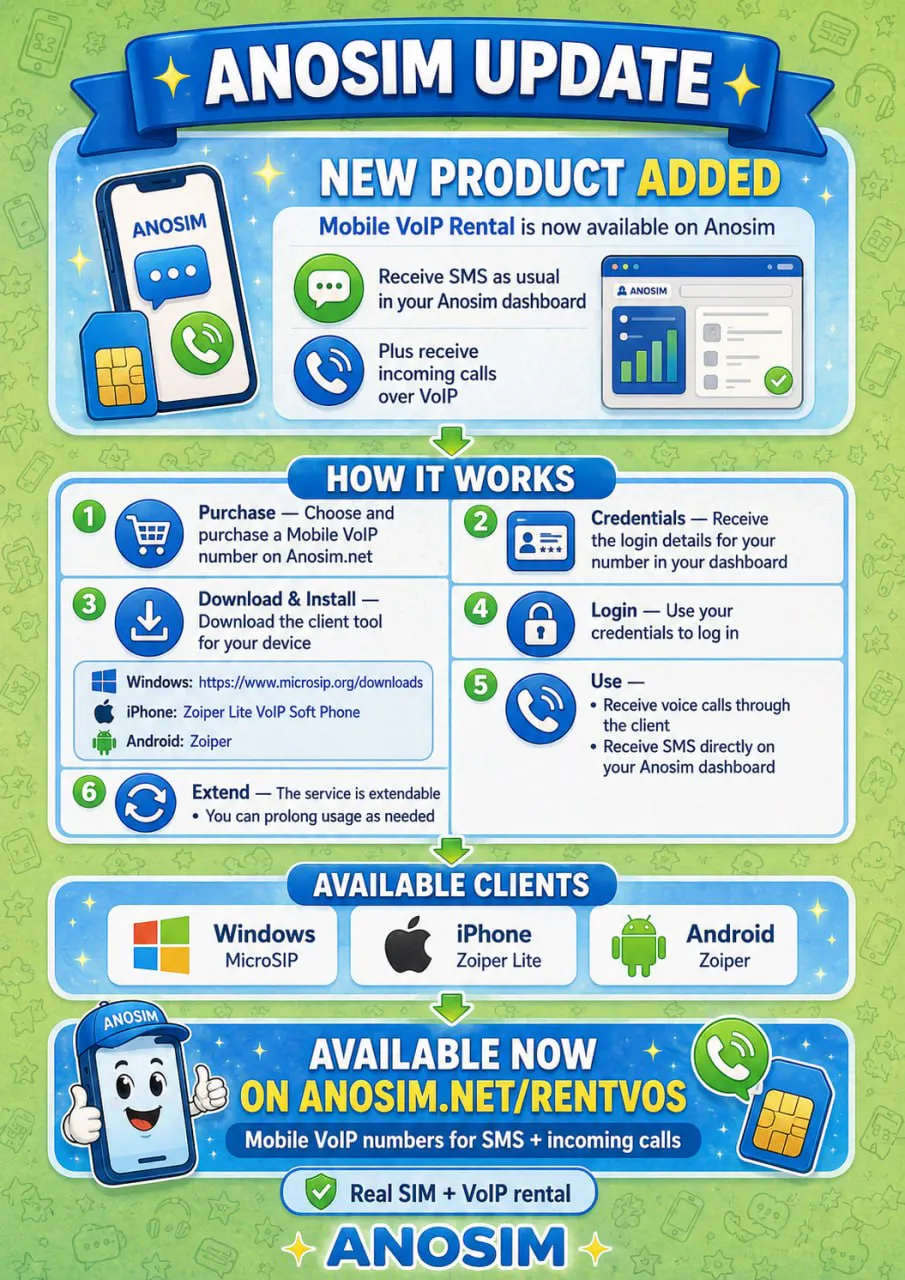
Anosim now offers Mobile VoIP Rental - a new way to receive incoming voice calls and SMS on a real mobile number from anywhere in the world.
Many online services now require phone verification via voice call instead of SMS. With Anosim Mobile VoIP, you can receive OTP codes via voice call and handle verification processes that are not available through SMS alone.
SMS messages are delivered directly to your Anosim dashboard, just like with our standard number rental service. Incoming voice calls are received through a SIP client application on your Windows PC, iPhone, or Android device.
How to get started with Mobile VoIP
1. Purchase - Choose and purchase a Mobile VoIP number on anosim.net/rentvos.
2. Credentials - Receive your SIP login details in your Anosim dashboard.
3. Download and Install - Download a free SIP client for your device:
Windows: MicroSIP
iPhone: Zoiper Lite VoIP Soft Phone
Android: Zoiper
4. Login - Use your credentials to log in to the SIP client. Set the SIP server to sip.anosim.net and use your phone number as username.
5. Use - Receive voice calls through the SIP client and receive SMS on your Anosim dashboard.
6. Extend - The Mobile VoIP service is extendable. You can prolong your number rental as needed.
Whether you need a mobile number for voice verification, OTP codes, business calls, or personal use - Anosim Mobile VoIP lets you receive calls and SMS online without being tied to a single location.